
Sign-to-Text Communication
Convert selected signs from the existing sign language keyboard into written text for easier communication.
The Two-Way Sign Language Communication Platform helps Deaf and hearing users communicate through sign-to-text and text-to-sign workflows. It combines an existing sign language keyboard, AI-assisted translation, and an animated 3D avatar to create a more accessible mobile communication experience.
Sign-to-text and text-to-sign workflows
Animated visual sign language output
Built for accessible mobile communication
The Two-Way Sign Language Communication Platform is an Android-based accessibility solution designed to help Deaf and hearing users communicate more easily through sign language and written text. It extends an existing sign language keyboard into a broader communication experience by supporting both sign-to-text and text-to-sign interactions.
Users can select signs through the keyboard and convert them into written text, while written text can be translated into sign language and displayed through an animated 3D avatar. This creates a practical two-way communication experience within a single mobile application.
Convert selected signs from the existing sign language keyboard into written text for easier communication.
Turn written text into sign language sequences through an AI-assisted translation workflow.
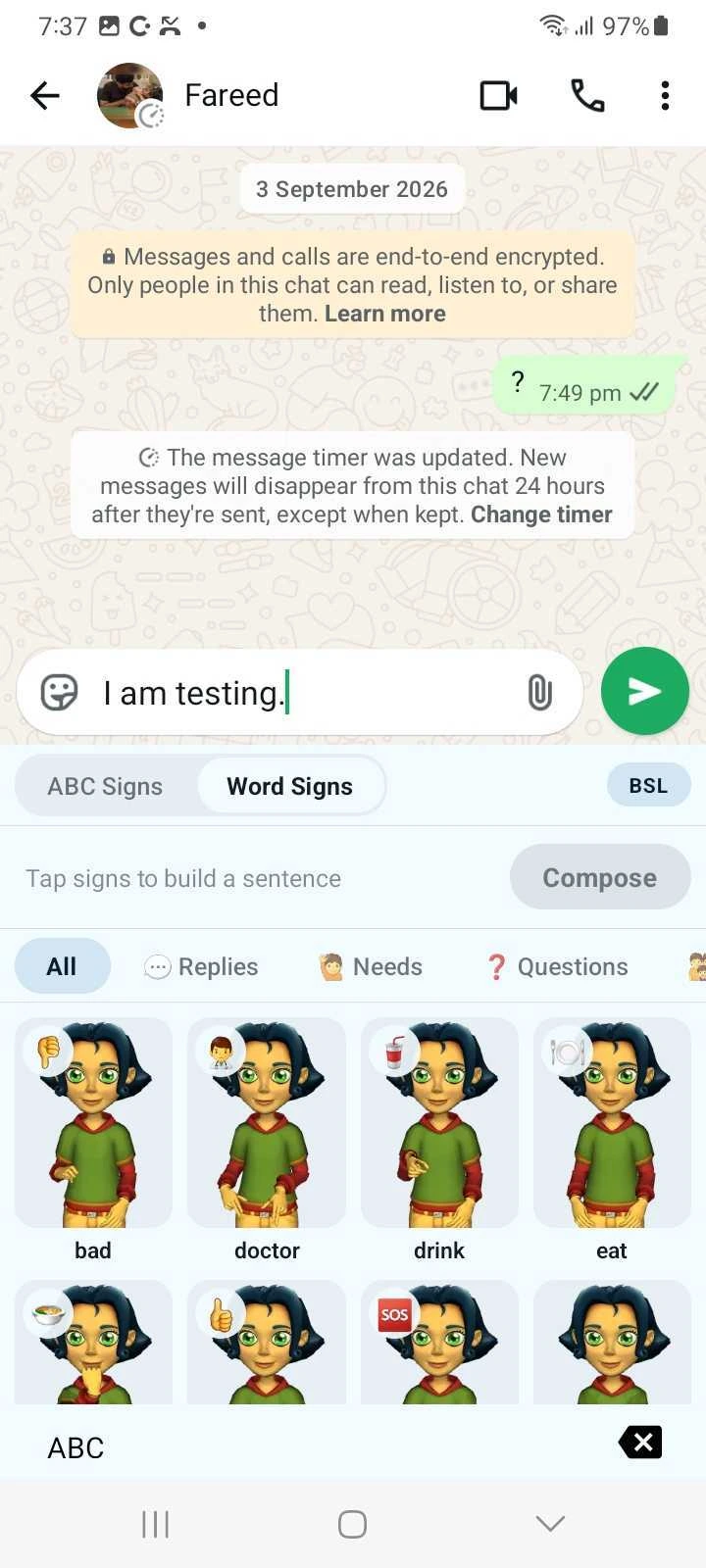
Display translated sign language visually through an animated 3D avatar.
Connect sign vocabulary and sign representation data with the translation workflow to support accurate communication output.
The platform brings sign language and written communication into one mobile experience, giving users practical tools to communicate in both directions through sign input, text translation, and animated visual output.
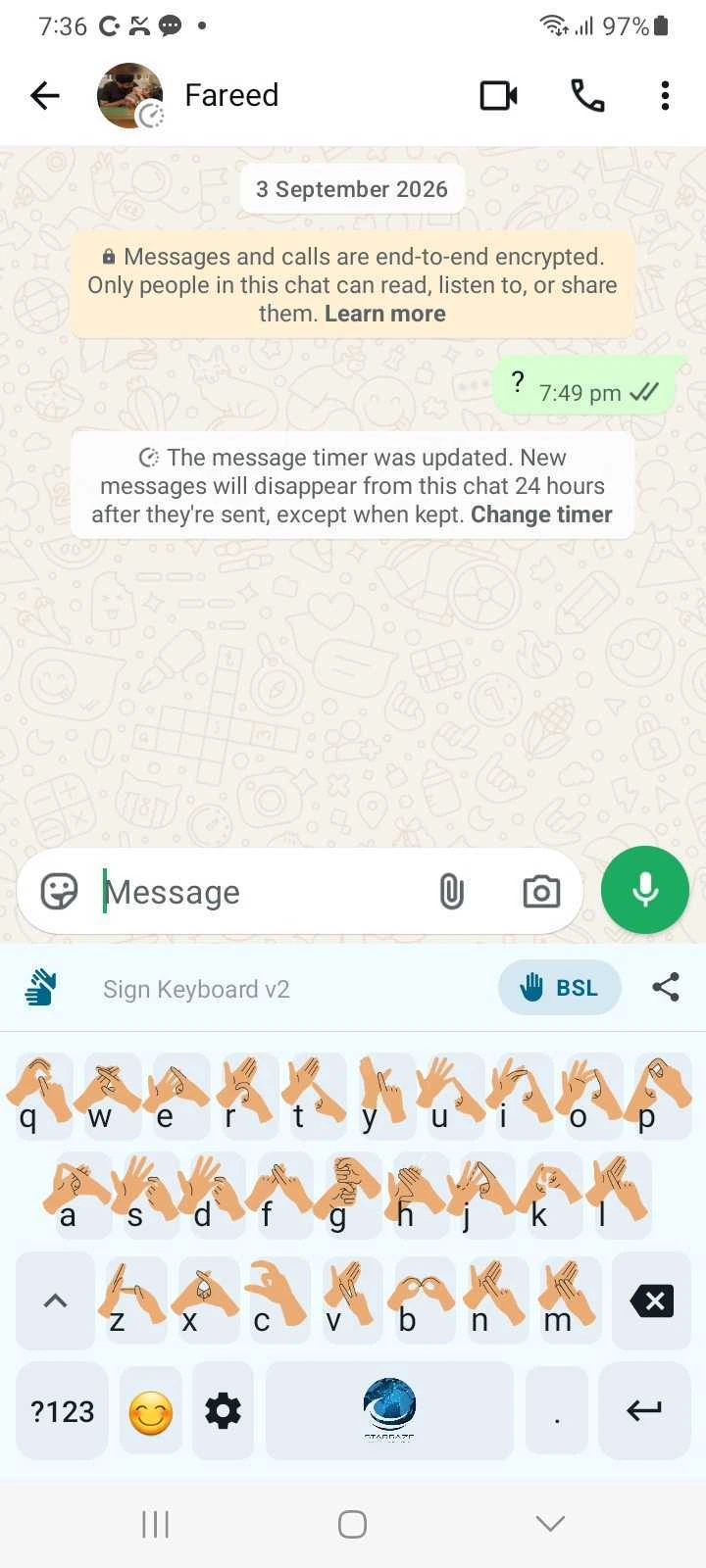
Users can select signs through the existing sign language keyboard and convert them into written text that can be read and shared with people who do not use sign language.
Written text is processed through the translation workflow and converted into sign language sequences for visual communication.
Translated sign language is displayed through an animated 3D avatar, creating a clear visual experience for sign-based communication.
The platform extends the existing sign language keyboard, allowing users to compose messages by selecting multiple signs and converting them into written sentences.
Sign vocabulary and representation data are integrated into the platform to support conversion between written language and sign-based output.
Built for Android, the platform provides a mobile-first interface designed to make sign language communication more practical and accessible in everyday use.
Users can combine multiple signs into a sentence, make basic edits, and prepare the final message before sharing it.
The platform is designed around sign-language dictionaries, creating a foundation for expanding vocabulary coverage and supporting additional sign languages over time.
The platform supports communication in both directions, allowing users to move between sign language and written text within one mobile experience. It combines sign input, translation workflows, sign-language data, and animated visual output to make communication more accessible.
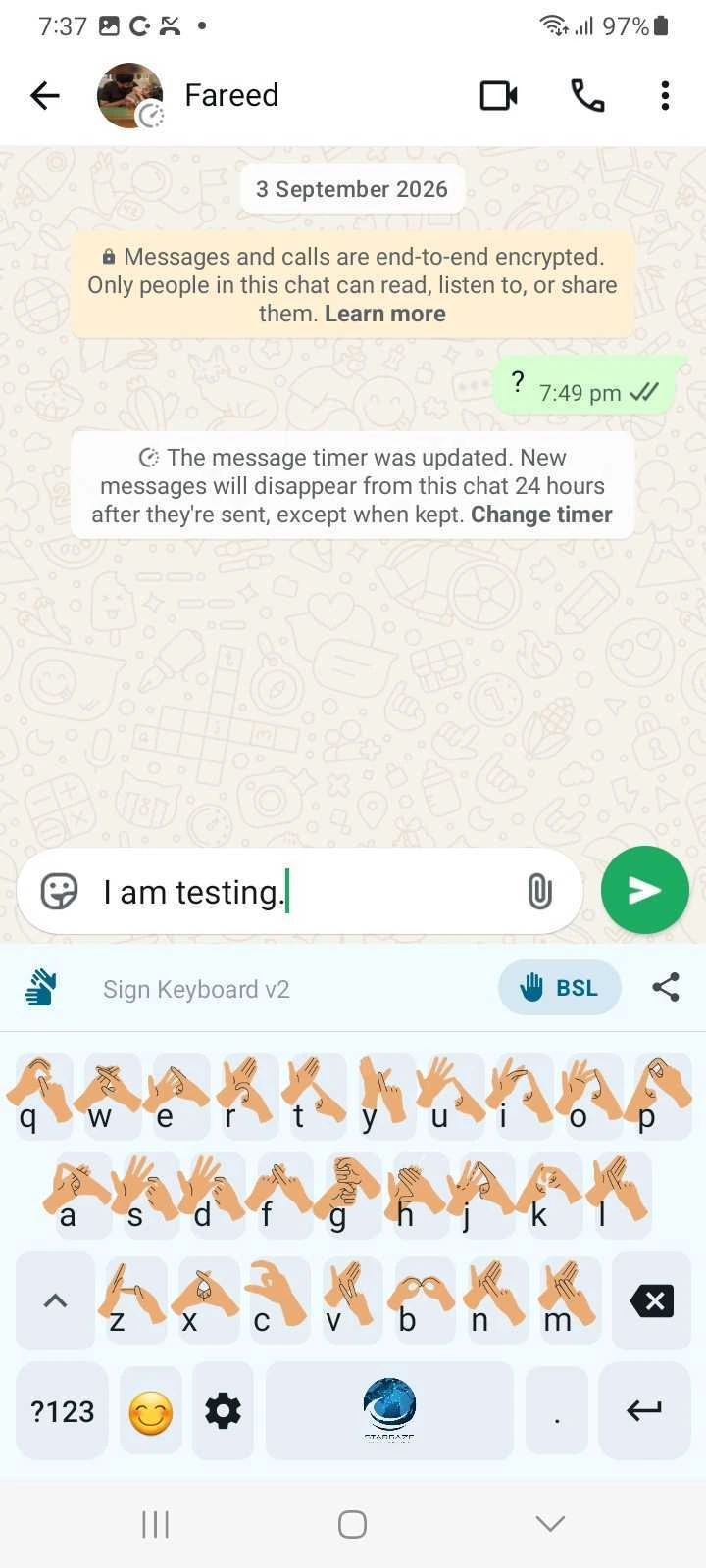
Users can either select signs through the sign language keyboard or enter written text, depending on how they want to communicate.
The platform processes the selected input through its translation workflow and sign-language data to prepare the appropriate output format.
When signs are selected through the keyboard, they are converted into written text that can be understood by people who do not use sign language.
When written text is entered, the platform converts it into corresponding sign language sequences for visual communication.
The translated sign sequence is presented through an animated 3D avatar, allowing users to view the generated sign language output.
The platform provides a foundation for expanding vocabulary, adding more sign languages, and improving communication capabilities over time.
The platform is designed for situations where Deaf and hearing users need a simple way to communicate across sign language and written text. Its two-way workflow makes it suitable for everyday interactions as well as more structured environments where accessibility matters.

Support day-to-day conversations by allowing sign language input to be converted into text and written messages to be displayed as sign language.

Help Deaf users communicate more clearly with healthcare staff during appointments, check-ins, and other basic interactions where sign language support may not always be available.

Create more accessible communication experiences between Deaf learners, teachers, support staff, and other students in educational environments.

Enable more inclusive communication in community spaces and social settings by providing a digital bridge between sign language and written communication.
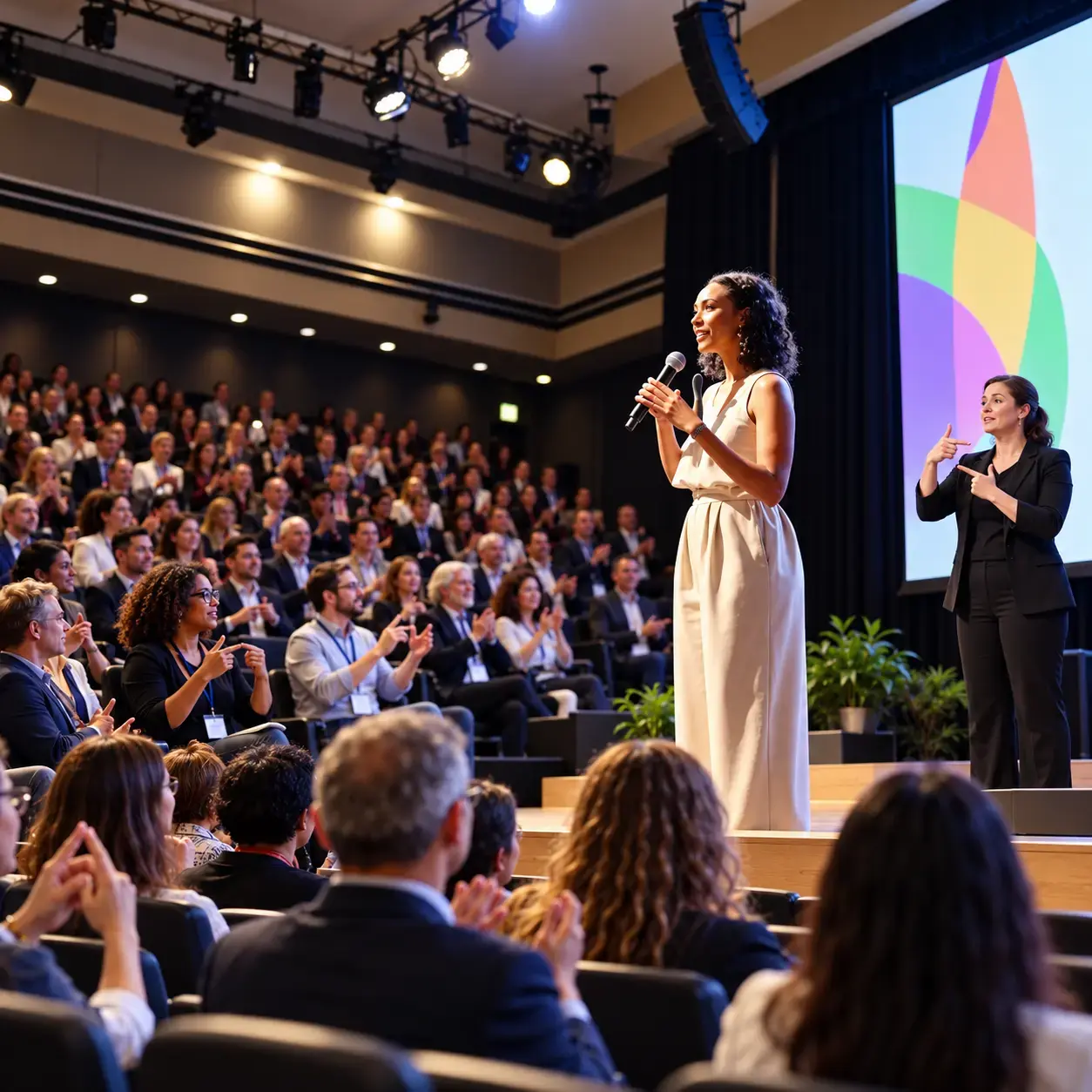
Support basic communication between Deaf customers and service teams through sign-to-text and text-to-sign interactions.

Provide a foundation for organizations building assistive technology, inclusive mobile experiences, and digital products designed around sign language accessibility.
The product experience is built around making communication feel direct and easy to follow for both Deaf and hearing users. Instead of separating sign language and written communication into different tools, the platform brings both interaction methods into one mobile experience.
Deaf users can communicate through the existing sign language keyboard, selecting signs to build sentences and convert them into written text.
Hearing users can enter normal written text without needing to understand sign-language notation or technical translation steps.
Translated text is displayed through a 3D signing avatar, giving users a visual sign-language output within the same communication flow.
The experience includes loading, playback, error, and basic interaction states so users can understand what is happening throughout the translation process.
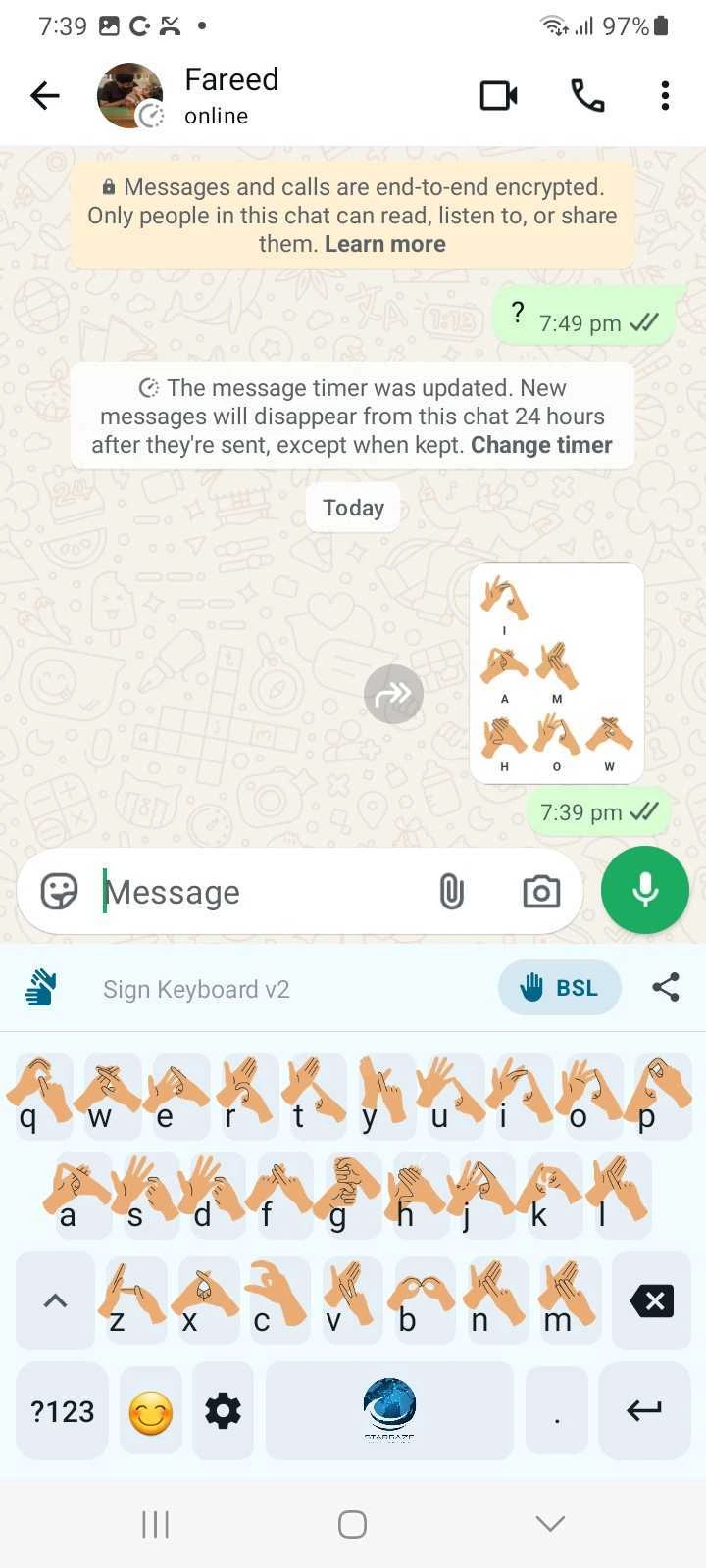
The platform is designed specifically for Android, keeping the experience practical for real-world mobile use and everyday communication.
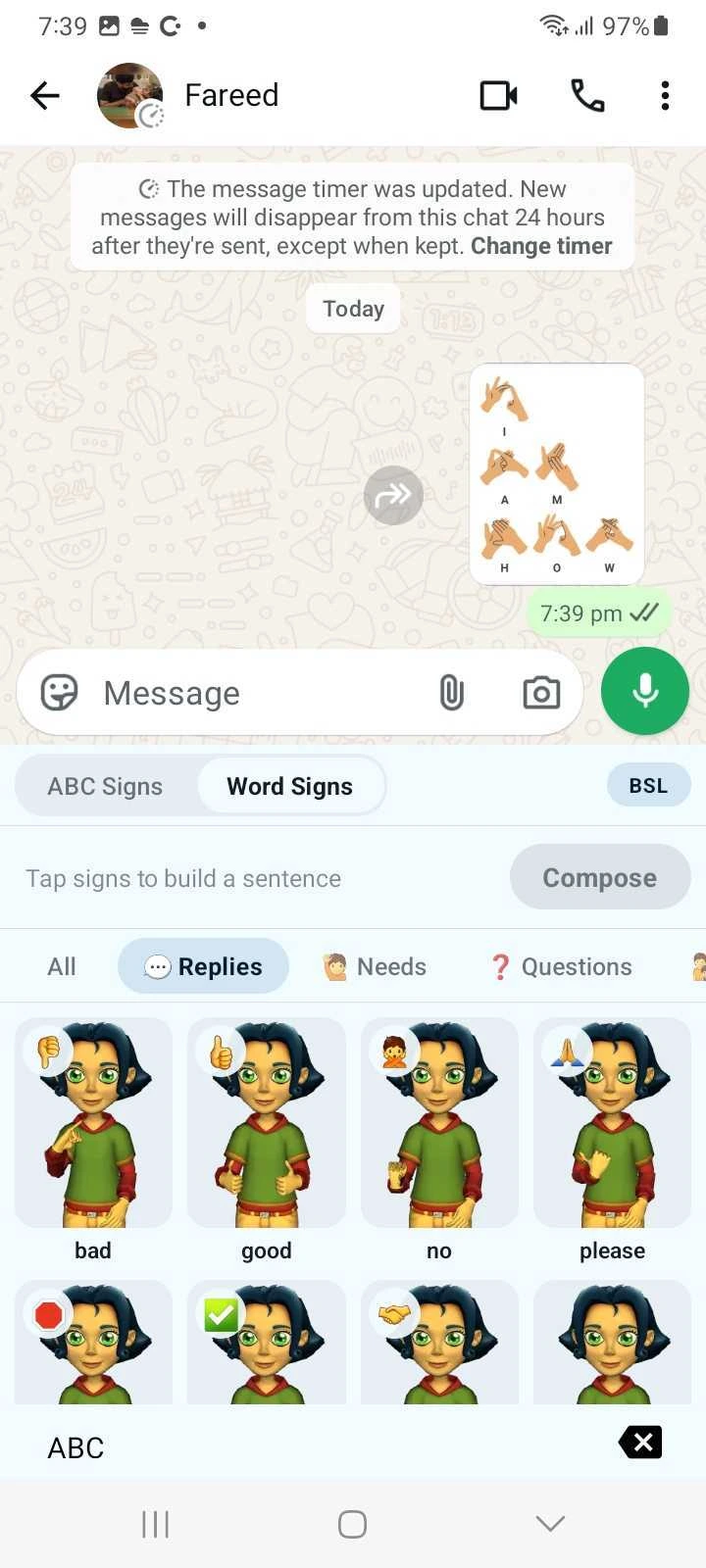
Users can move between sign-based input and written communication depending on the situation, creating a more natural two-way experience within a single application.
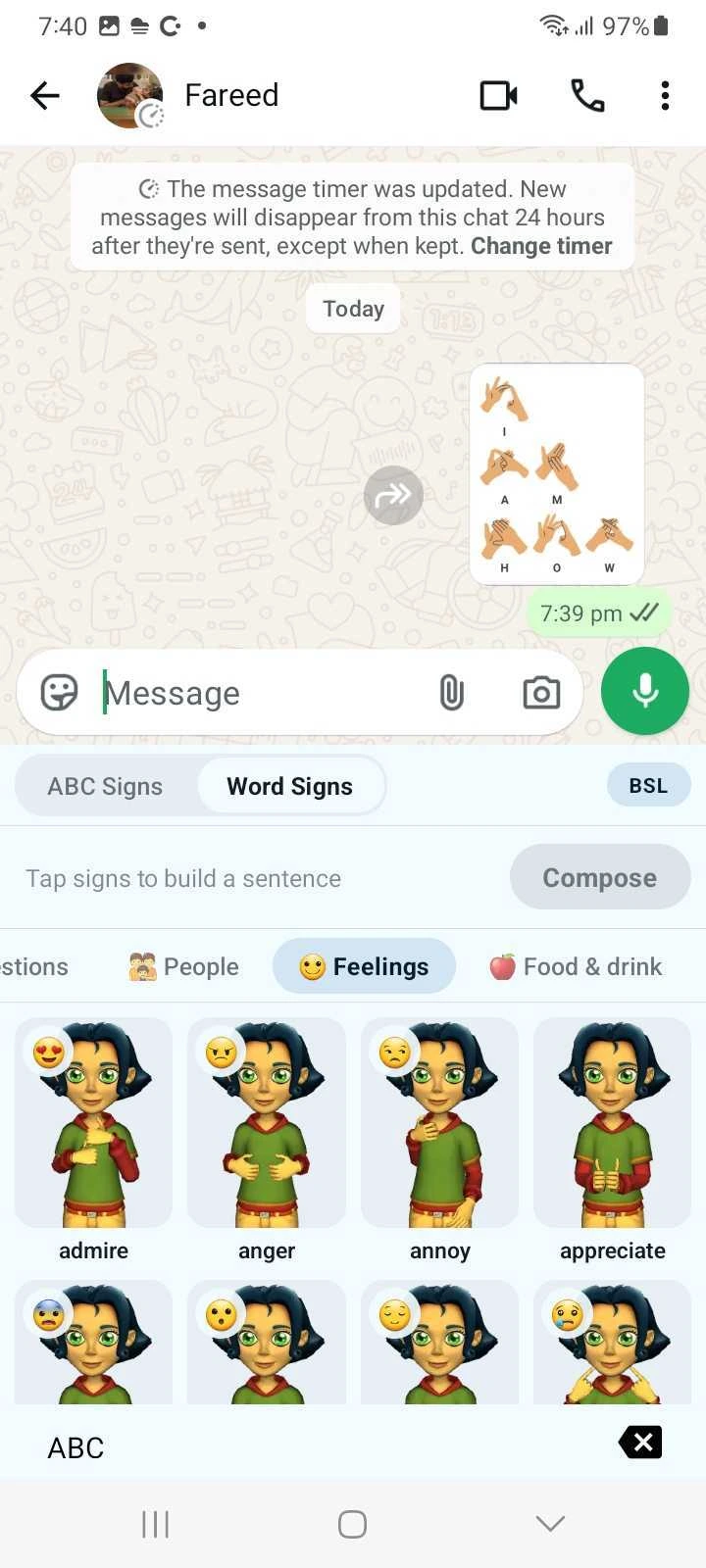
Choose a starting option based on how you plan to use the platform. Final free-versus-paid feature access will be confirmed before launch.
Start exploring the platform with access to selected communication features. Exact features included in the free plan will be finalized before launch.
Need broader access, additional language support, or a tailored setup for your organization? Talk to us about the right option for your requirements.
Partner with Grayphite to build assistive technology and inclusive mobile experiences that remove communication barriers for the people who use them.